

Last updated: November 2026
You’ve published your website, searched for your business on Google and found nothing, or found yourself on page four. That rarely means something is broken. Getting on Google happens in two stages: Google has to find and index your pages, then decide they deserve a place on the first page.
This guide answers “how do I get my website on Google?” by working through both stages in order. It’s written by Nouman Sajjad, founder of Anchor Web Agency, who has 10+ years of experience building WordPress sites and handles SEO strategy for our clients himself.
Where we state how Google works, we link to Google Search Central so you can check the source. New to the subject? Our guide to what SEO is covers the background.
How Do I Get My Website on Google?
To get your website on Google, check whether it’s already indexed with a site:yourdomain.co.uk search, add it to Google Search Console, submit your sitemap and fix anything that stops Google crawling it. To get it onto the first page, give each page one clear search to answer, make it fast and mobile-friendly, and earn links and reviews over time.
Google search engine optimisation is the name for that second half, but the first half matters more than most owners realise. Google says it automatically looks for new sites and you usually don’t need to do anything except publish. “Usually” is the key word: brand-new, small and technically broken sites are the ones that get missed.
Picture two gates. Gate one is indexing: is the page stored in Google’s index at all? Gate two is ranking: why should your page be one of the ten on page one? “My website isn’t on Google” is a gate-one problem; “my website is on page four” is a gate-two problem. Every tool below is free.
Is Your Website Already Showing Up on Google?
You can check whether your website is showing up on Google by typing site:yourdomain.co.uk into the search box: if pages from your site appear, Google has indexed them. Google notes that the site: search doesn’t necessarily return every indexed address, so treat it as a quick check, not a full count.
If nothing appears, Google either hasn’t found the site yet or found it and couldn’t index it. Google lists the usual reasons. Other websites don’t link to yours. The site has just launched, and it can take a few weeks for Google to notice. The design makes the content hard to crawl, for example text locked inside images or video. Or Google received an error, often because of a login page or a setting that blocks it.
The error case has a simple test: open your site in an incognito window. If you can’t see the content without logging in, Google’s crawler can’t either.
How Do You Add Your Website to Google Search Console?
You add your website to Google Search Console by signing in with a Google account, adding your site as a property, verifying that you own it and submitting your sitemap.
- Sign in: go to Google Search Console and use the Google account you already use for the business.
- Add a property: enter your website address so Search Console knows which site you’re claiming.
- Verify ownership: the usual methods are adding a DNS record with your domain registrar or uploading a small file to your hosting.
- Submit your sitemap: open Sitemaps under Indexing and enter your sitemap address. WordPress SEO plugins such as Rank Math and Yoast create one for you; on our own site it’s sitemap_index.xml.
- Request indexing: paste your homepage address into the URL Inspection tool and click Request Indexing.
Google says crawling can take anywhere from a few days to a few weeks and a request doesn’t guarantee inclusion. There’s a quota on requests, and asking again for the same address won’t speed things up. WordPress usually tells search engines about new content automatically, but Search Console is where Google shows which pages are indexed and why others aren’t.
Why Isn’t Google Indexing Some of Your Pages?
Google usually isn’t indexing a page because something tells it not to, it can’t reach the page, or it doesn’t see enough on the page to be worth storing. Search Console’s Pages report (under Indexing) lists each excluded address with a reason, and the table below covers the most common reasons on small business sites.
| Problem | What you’ll notice | What to do |
|---|---|---|
| A noindex tag left on from the build | Search Console lists the page as excluded by a noindex tag | Remove it in your SEO plugin, and untick “Discourage search engines” under Settings > Reading in WordPress |
| robots.txt blocking the page | Search Console says the page is blocked by robots.txt | Edit robots.txt so it only blocks pages you genuinely want hidden |
| Orphan page with no internal links | Page is missing from searches and rarely crawled | Link to it from related pages and your menu |
| Content locked in images or video | Page is indexed but ranks for almost nothing | Add real text: headings, descriptions and prices |
Keeping low-value pages out matters too. Wix shares the example of an online shop with over 80,000 product pages where only 50,000 were indexed, because every customer order created an indexable page; setting order pages to noindex sent Google back to the products.
How Do You Get Your Website Higher on Google Once It’s Indexed?
You get your website higher on Google by giving each page one clear search to answer, matching what people expect to see for that search, and making the page more useful than the ones already on page one.
Searches fall into four intent types: informational, navigational, transactional and commercial investigation. Search your target phrase first and look at what ranks: if Google shows guides, a service page won’t break in, however well it’s written.
New sites rarely win broad terms such as “plumber” straight away. Long-tail keywords, longer phrases of three or four words or more, have lower search volume but much clearer intent, for example “emergency plumber in Walsall”. Our guide to keyword research for small businesses shows how to find them.
Each page then needs the on-page basics: a title tag of about 60 characters that leads with the search, a meta description that earns the click, one H1, descriptive image alt text and a clean URL. Our on-page SEO checklist covers each one in detail.
The structure of the site matters as much as any single page. For Pitstop 66, a Manchester car storage company, we built separate service landing pages for supercar, classic and long-term storage, with local SEO targeting Manchester and the North West, so each page has one search to win.

Which Technical Fixes Help Your Website Climb Google?
The technical fixes that matter most for a small website are mobile-friendliness, HTTPS and page speed, which Google measures with its Core Web Vitals. They won’t lift a weak page on their own, but they can hold a good one back.
Google uses mobile-first indexing, which means it mainly looks at the mobile version of your pages when deciding what to index and rank. Google suggests testing with Lighthouse, which is built into Chrome. Your site should also run on HTTPS; without it, Chrome shows visitors a “Not Secure” warning before they’ve read a word.
Google’s Core Web Vitals measure loading, responsiveness and visual stability, with these targets for a good experience:
| Core Web Vitals metric | What it measures | Good score |
|---|---|---|
| Largest Contentful Paint (LCP) | How quickly the main content loads | Within 2.5 seconds |
| Interaction to Next Paint (INP) | How quickly the page responds to taps and clicks | Under 200 milliseconds |
| Cumulative Layout Shift (CLS) | How much the layout jumps while loading | Under 0.1 |
Search Console has a Core Web Vitals report based on real visitors. For a quicker snapshot, our free SEO audit tool checks Core Web Vitals, heading structure, schema gaps and image alt text in under 60 seconds, with no sign-up.
The usual fixes are compressing images, turning on caching, cutting unnecessary redirects and choosing a reliable host; our guide to domain names and hosting explains what to look for.
How Do Links Help You Reach the Top of Google?
Links from other relevant websites help you reach the top of Google because they show Google your pages are worth finding and trusting. Google’s own checklist names a site with no links from other sites as one of the most likely to be missed.
Quality beats quantity, and Google warns against paying for links because it can breach its spam policies. Good sources for a small business are suppliers, trade associations, local press, guest articles, your social profiles and genuine industry directories. Our guide explains what backlinks are and how to earn them.
Internal links matter too: when you publish a new page, link to it from two or three older, related pages using descriptive anchor text such as “boiler servicing in Solihull” rather than “click here”.
How Do You Get a Local Business Onto Google Maps?
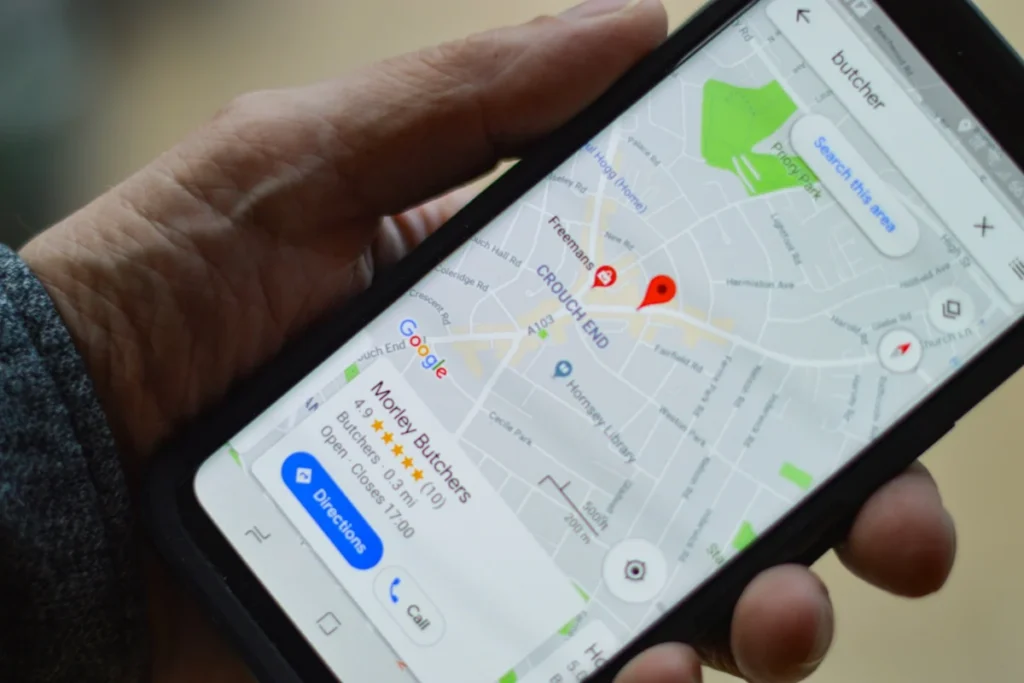
You get a local business onto Google Maps by claiming and completing a free Google Business Profile, which controls how your business appears across Google Search and Maps. For searches with local intent, Google often shows a map with three businesses, known as the local pack, above the ordinary results.
Fill in every section of the profile: categories, services, opening hours, photos and a link to your website. Keep your name, address and phone number identical on your profile, your website and every directory listing. Then ask happy customers for reviews and reply to each one; our guide on how to get more Google reviews explains how to ask for them.
For Prestige Painting Solutions, a Manchester decorator, the local SEO foundations included service pages for interior, exterior, commercial and residential work, a Google Business Profile and schema markup.
Where Does My Website Rank on Google?
The most reliable way to see where your website ranks on Google is the Performance report in Google Search Console, which shows the average position of your pages for each search. Searching for yourself in Google is less reliable, because results change with location, device and search history.
The report shows clicks, impressions, click-through rate (CTR) and average position, which is the position of your highest result for that search. The default view covers the past three months.
Use it to find quick wins: searches where a page already sits between positions 11 and 20 are close to page one, and pages with plenty of impressions but few clicks usually need a better title and meta description.
How Long Does It Take to Get on the First Page of Google?
Getting indexed usually takes a few days to a few weeks, but reaching the first page for a competitive search typically takes several months of steady work. Search Engine Land puts meaningful SEO results at typically three to six months, with competitive keywords taking longer.
Pitstop 66 had its first lead within three weeks of its new site going live, but that came from targeted service pages built for one local market, not a quick trick.
The first page itself is changing: Google’s AI Overviews and AI Mode now pull content from websites into written answers. Clear headings, a direct answer at the top of each section and sourced facts help your pages get used there.
Should You Do It Yourself or Get Help?
Most small businesses can handle the indexing steps themselves; outside help is worth paying for when your site is indexed but stuck below page one. To keep going alone, our SEO tips for small businesses list 20 jobs you can do yourself.
Our SEO services start with Starter SEO at £199 a month (10 target keywords, 5 pages, Google Business Profile set-up and Search Console monitoring), then Growth SEO at £399 and Authority SEO at £699 a month, rolling monthly with no lock-in. See pricing for the full packages, or our guide to how much SEO costs for typical UK prices.
If you need enquiries next week, paid search may suit you better for now; our comparison of SEO vs Google Ads explains when each makes sense. Local businesses can also see our work as an SEO agency in Birmingham.
Frequently Asked Questions About Getting on Google
Can I pay Google to rank my website higher?
No, you can’t pay Google to rank your website higher in the organic results; Google says it never accepts money to include or rank sites there. You can pay for Google Ads, which appear in sponsored spots marked as ads, but they stop showing when your budget runs out.
How do I put my website on Google for free?
You can put your website on Google for free by publishing it, verifying it in Google Search Console and submitting your sitemap, because Google charges nothing for organic listings. A Google Business Profile is free too and helps local businesses appear on Google Maps.
How do I make a website on Google?
You can make a simple website on Google with Google Sites: create a site, add your pages, then click Publish and choose a web address. It’s fine for a basic page, but a business usually needs its own domain and more control over titles, descriptions and page structure.
Do I need to register my website with Google?
No, you don’t need to register your website with Google, because Google finds most sites on its own by following links. Adding the site to Google Search Console is still worth doing: your sitemap helps Google discover new pages, and the reports show any indexing errors.
Can anyone guarantee my website will be on the first page of Google?
No one can guarantee your website a first-page or number one position on Google, and Google itself says no one can guarantee a number one ranking. Rankings depend on your competitors, Google’s algorithms and the searcher’s location, none of which an agency controls.
Ready to Get Your Website Onto Page One?
Still not showing after these steps? Tell us your web address and the searches you want to appear for, and Nouman will tell you honestly whether it’s a quick fix or a longer job. We reply on WhatsApp within minutes and by email within 24 hours, Monday to Saturday, 08:00–20:00.