

Last updated: October 2026
Most small businesses don’t have a review problem; they have an asking problem. Happy customers leave unprompted, while the odd unhappy one goes straight to Google. Learning how to get more Google reviews is mostly about fixing that imbalance, fairly and within the rules.
Searches such as how to get Google reviews for my business and the shorter how to Google reviews lead back to one place: your Google Business Profile. This is the process we use for owners with 1 to 20 staff, checked against Google’s help pages and the Competition and Markets Authority’s guidance.
The short answer: to get more Google reviews, ask every genuine customer at the moment the job is finished, using the review link or QR code from your Google Business Profile. Send one written follow-up, reply to every review, and never offer rewards or ask only happy customers. Google bans both, and UK law now bans fake reviews.
How do I get more Google reviews?
You get more Google reviews by asking every genuine customer for one, every time, and making the review form one tap away.
Work backwards from a busy five-star profile and the reason is clear. A review only exists when three things line up: a personal ask, a signed-in Google Account, and a link that opens the review box. Google lets reviewers create an account with a non-Gmail email address, which is worth a line in your thank-you email.
Picture a Birmingham plumber finishing a boiler repair at 4pm. Ask on the doorstep, text the link before the van leaves the street, and the customer can review while the fix is fresh. Wait for the invoice a fortnight later and the moment has usually passed.
How do Google reviews work, and why do they matter?
Google reviews are star ratings and comments that signed-in customers post on a Business Profile, shown beside the business on Google Search and Google Maps.
Google says local results are mainly based on relevance, distance and popularity, and calls that third factor prominence: how well-known a business is, partly judged by how many reviews it has. In Google’s words, “More reviews and positive ratings can help your business’s local ranking.” There’s no published formula or minimum review count.
Reviews then shape click-through. In the local pack, the map results above the ordinary listings, your star rating sits next to your name, so a searcher compares you with rivals before clicking. That’s why our local SEO services treat the profile, the review routine and the website as one job.
Ask how does Google reviews work behind the scenes and the answer is moderation: every review passes automated policy checks first.
What should you fix on your Business Profile first?
Your Google Business Profile should be verified and complete before you ask for reviews, because Google won’t let you reply to reviews until the business is verified.
Check the primary category, opening hours, service areas and recent photos of real work. Remove duplicate listings too: Google notes that reviews from merged profiles can take a few days to reappear.
Then search your business name while signed in. That also answers how do I find my Google reviews: they sit on the profile panel in Search and under the Reviews tab in Maps. Our Google Business Profile management service can handle set-up and optimisation, and our free SEO audit flags gaps that hold back local visibility.

From experience
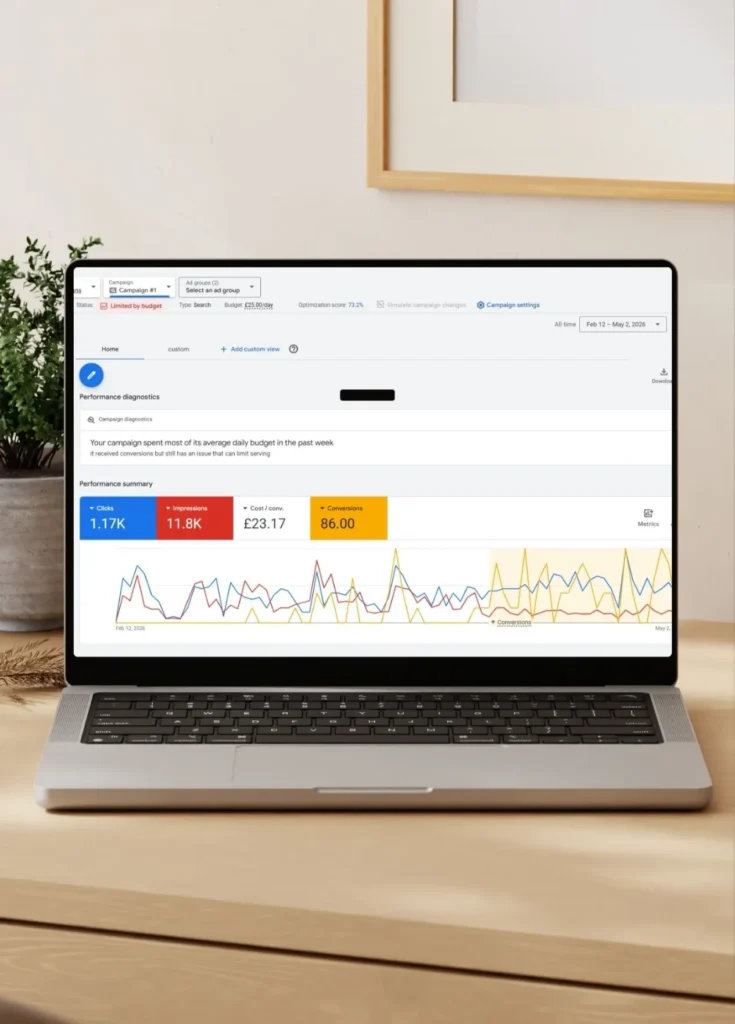
For Prestige Painting Solutions in Manchester, I built the Business Profile alongside Manchester-focused keywords, schema markup and new service pages. The 81 leads in 12 weeks came from Google Ads, not reviews, but the listing still had to back up the ad. Read how a Manchester painter got 81 leads in 12 weeks.
Nouman Sajjad, Founder
How do you create a Google review link or QR code?
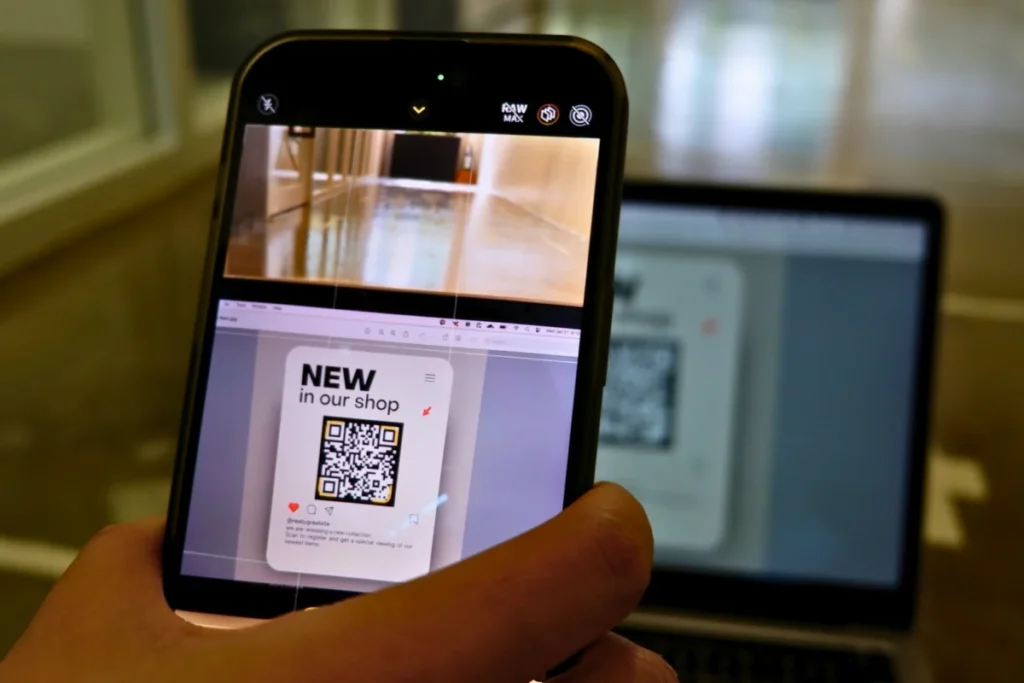
You create a Google review link and QR code from your Business Profile using the Get more reviews option, which shows both on one screen.
Google’s steps are:
- Open your profile. Go to business.google.com, or search your business name while signed in.
- Select Read reviews. This opens the reviews panel.
- Select Get more reviews. It sits behind the share icon.
- Copy the link or save the code. Use the copy icon, or right-click the QR code and choose “Save image as”.
Google only generates the QR code in a computer browser, not on a phone. The link works in a text, a WhatsApp message, an email or a Facebook post.
Print the code where the job ends: the till for a Coventry café, the snagging sheet for a Solihull builder. A short link on your own domain is easier to read out by phone.
When should you ask, and what should you say?
Ask for a Google review when the customer sees the finished result, then send one written message with the link the same day.
Satisfaction tends to peak at job completion. A spoken ask costs nothing, the written follow-up with a short link arrives when they have a spare minute, and one reminder a day or two later is plenty.
Whoever did the work should ask. Google’s policy rules out solicitation quotas for staff and pressure on customers to post while on the premises, so ask once, warmly, and leave it there.
A review request works when it sounds human. Here’s a text message a Walsall electrician could send:
Hi Sarah, thanks for having us out to sort the fuse board today. If you’ve got a minute, a quick Google review would really help a small local firm: [link]. Thanks, Dan
It doesn’t ask for five stars, it offers no discount, and Dan sends it to every customer, not only the ones who smiled.
How to get more Google reviews every month, not just once
Getting more Google reviews every month depends on making the request a fixed step in your job routine.
Put the ask where work already gets signed off: the job checklist, the closing email, your email signature, the till. An automated email after each job removes the reliance on memory, and a QR code on receipts reaches every customer who keeps one.
How to increase Google reviews without a suspicious spike
The safe way to increase Google reviews is a steady flow from genuine customers, not a burst from a one-off campaign.
Google’s policy prohibits unusual volumes or patterns of reviews aimed at manipulating a rating. After a sudden spike in spam, Google says it can pause new reviews with a banner saying contributions are temporarily paused.
Freshness matters to readers too: BrightLocal’s 2026 survey of 1,002 US consumers found 74% only care about reviews from the last three months. Recency beats a big, old total.
Track your review count and star rating monthly. Our Growth SEO plan (£399 a month, excluding VAT) adds a review strategy to Business Profile optimisation; our pricing lists what each plan includes.
How should you reply to good and bad Google reviews?
Reply to every Google review briefly and personally: thank happy customers for something specific, and answer unhappy ones calmly with a way to sort it out.
Replies pass Google’s checks first, which Google says usually takes up to 10 minutes but can take up to 30 days. The reviewer is notified and can still edit their review, a good reason to answer negative reviews well.
Google’s tips: keep replies short and simple, avoid identical thank-you messages, don’t use replies to offer deals, never share private information, apologise where you got it wrong, and sign off with your name or initials.
Google reviews reply examples you can adapt
These Google reviews reply examples show the tone for two common situations.
Positive review: “Thanks, Priya. Glad the bathroom tiling came out the way you pictured it, and thanks for putting up with two days of dust. Dan”
Negative review: “Sorry to read this, Mrs Hughes. We give a two-hour arrival window and on Tuesday we missed it. I’d like to put that right, so please call me on [number]. Dan”
If a review looks fake, reply in one polite line saying you have no record of the visit, then report it.

What do Google and UK law ban when you ask for reviews?
Google bans rewarding customers for reviews, asking only happy customers, reviewing your own business and pressuring people to post, and UK law now bans fake reviews and hidden incentivised ones.
Google treats reviews “paid for, directly or in kind” as fake engagement. Search how to generate Google reviews and you’ll find sellers, yet Google put posting restrictions on more than 782,000 policy-violating accounts in 2025.
Since 6 April 2025, the Digital Markets, Competition and Consumers Act 2024 (Schedule 20, paragraph 13) has banned submitting or commissioning a fake review, or one hiding that it was incentivised. The CMA enforces this directly, with fines of up to 10% of global turnover, and opened five review investigations in March 2026.
The table compares common tactics against both rulebooks, citing the CMA’s fake reviews guidance (CMA208).
| Tactic | Google’s policy | UK law (DMCC Act and CMA208) |
|---|---|---|
| Asking every customer for an honest review | Allowed | Allowed (para 3.6) |
| Asking only customers you expect to be happy | Not allowed: no selectively soliciting positive reviews | Likely misleading cherry-picking (para 4.5) |
| Discount, freebie or voucher for a review | Not allowed | Banned unless clearly disclosed (paras 2.10, 3.7) |
| Prize draw entry for reviewing | Not allowed | Unlikely to count as commissioning (footnote 8) |
| Staff, family or friends reviewing you | Not allowed: conflict of interest | Banned if commissioned (para 2.10) |
The contrarian point: UK law is, in places, looser than Google. A labelled incentive or prize draw can be lawful and still breach Google’s policy, so plan around Google’s rules.
Can I remove Google reviews I don’t like?
You can’t remove another person’s Google review yourself; you can only report it, and Google takes it down only if it breaks Google’s content policies.
That disappoints owners asking can I delete Google reviews, but it also stops a rival deleting your good ones. Google says not to report a review because you disagree with it, and it stays out of disputes.
So can Google reviews be removed? Yes, when they’re spam, off-topic, offensive, or from a conflict of interest such as a competitor. Google runs a separate process for review extortion: fake one-star reviews followed by a demand for payment.
How can Google reviews be removed through the Reviews Management Tool?
Google reviews can be removed through the Reviews Management Tool, which lets you report a review, follow the decision and appeal once.
- Report from your profile. Open Read reviews, select Report, choose a reason such as Spam, then Send report.
- Check the status. A report shows Decision pending until Google evaluates it, which typically takes several days.
- Appeal once if refused. “Report reviewed – no policy violation” allows a one-time appeal, covering up to 10 reviews.
- Wait for the final decision. “Escalated – check your email for updates” means the answer comes by email.
Meanwhile, reply calmly: if the review stays, your reply is what the next customer reads.
Why are Google reviews not showing up for my business?
Google reviews not showing up for your business usually comes down to policy checks, a spam removal, a profile merge or reinstatement, or a temporary pause on new reviews.
Google’s help centre lists these causes, and each has its own fix.
| What you see | Likely cause | What to do |
|---|---|---|
| A new review missing for a day or two | Checks that “might take a few days” | Wait before chasing it |
| A review gone after it was live | Spam or another policy violation | Contact support if it was genuine |
| Reviews missing after combining listings | Merged profiles | Allow a few days |
| A customer can’t post at all | An older phone or out-of-date app | Update Google Maps |
| No new reviews appearing | A temporary pause on some profiles or categories | Wait for Google to lift it |
| Reviews gone after a suspension ended | Removal on reinstatement | Contact support |
Most cases of Google reviews not showing fit the first two rows, and Google doesn’t restore reviews removed for policy breaches. Schools differ: Google has disabled reviews where the primary category is a school for pupils aged 6 to 18, excluding universities, day care centres and swim schools.
Missing from the map results altogether? That’s a ranking problem; our small business SEO audit guide covers it.
Can you show your Google reviews on your own website?
You can show Google reviews on your own website, but under UK law the selection has to give a fair picture.
The DMCC Act bans publishing reviews in a misleading way, such as dropping negative reviews or giving positive ones greater prominence. CMA208 adds that publishers should take reasonable and proportionate steps against fakes, like a published policy and a regular risk assessment.
A live reviews widget is safer than hand-picked testimonials. Our site runs a live Google reviews feed plus one named quote: Sam Cohen of Pitstop 66 called us “very knowledgeable and always willing to put in the work needed to get you the desired outcome.”
Sites we build through our web design services give reviews and case studies their own sections, close to the enquiry buttons.

Frequently asked questions
How many Google reviews do I need?
There’s no official number of Google reviews you need, because Google publishes no minimum or target. A practical benchmark is the businesses already in the map pack for your main search. BrightLocal’s 2026 US survey found 47% of consumers won’t use a business with fewer than 20 reviews, so 20 is a sensible first milestone.
How long do Google reviews take to show up?
Google reviews can appear quickly, but Google says its policy checks might take a few days, so a short delay is normal. If a review hasn’t appeared after a week, ask the customer whether they can still see it; if not, it has probably been filtered.
Why are my Google reviews not showing up publicly?
Google reviews not showing up publicly, while the reviewer can still see them, usually means Google’s filters are holding the review. Check by opening your profile in a private browser window while signed out. If it’s missing there and was genuine, raise it with Business Profile support.
Are Google reviews fake?
Most Google reviews are genuine, but some are fake: Google says it blocked or removed over 292 million policy-violating reviews in 2025 while publishing more than 1 billion helpful ones. It also removed over 13 million fake Business Profiles. Warning signs include reviewers with no other reviews and near-identical reviews posted within hours.
How do I see my Google reviews?
You can see your Google reviews by searching your business name while signed in and selecting Read reviews on your Business Profile, or through the Reviews tab in Google Maps. Anyone can read them, but only the verified owner can reply, and replies show as from the business, not your personal name.
How do I edit my Google reviews?
You edit a Google review you wrote in Google Maps: open the Menu, choose Your contributions, then Reviews, then More next to the review, and select Edit review. The same menu offers Delete review. Editing changes the review’s date to the day of the edit. A business can only edit its own reply, never the customer’s review.
Can Google reviews be deleted by the person who wrote them?
Google reviews can be deleted by the person who wrote them at any time, from Your contributions in Google Maps. Otherwise a review stays up unless Google removes it for a policy breach. You can ask a customer to update their review once a problem is fixed, but offering anything in return is prohibited.
Want a Business Profile that earns reviews every week? Tell us about your business and we’ll reply within 24 hours with a plan and a clear quote.