

Last updated: 6 November 2026
On-page SEO is the work you do on the page itself so that Google, and the AI tools that read Google’s results, can understand it and choose to show it. For a small business site that comes down to a short list of jobs: a clear title tag, a useful meta description, sensible headings, well-placed internal links, descriptive alt text on images and accurate schema markup. None of it needs a big budget. Everything on this list sits inside your own control, which is the main difference from off-page SEO such as links from other sites. We build most client sites on WordPress with Elementor, so you’ll see where an SEO WordPress plugin helps and where it gets in the way.
What Goes on an On-Page SEO Checklist for a Small Business Website?
An on-page SEO checklist covers the elements on each page that tell search engines what the page is about and whether it answers the searcher well: keyword and intent, title tag, meta description, headings, URL, body copy, links, images, schema, speed, crawlability and tracking. Treat it as on-site SEO you repeat for every page that matters, not a one-off task.
The table below is the version we work from when a client asks why a page isn’t bringing in organic traffic. Each row maps to a section further down, so you can jump to the one that’s failing.
| Element | What to check | Where to check it |
|---|---|---|
| Keyword and intent | One main keyword per page that matches what the searcher wants | Google UK results for that keyword |
| Title tag and H1 | Keyword near the start, written for a person | Rank Math or Yoast snippet preview |
| URL slug | Short, hyphenated, no dates | WordPress permalink field |
| Copy and E-E-A-T | Answers first, real examples, named author | The page itself |
| Page speed and mobile | Passes Core Web Vitals on mobile | PageSpeed Insights |
| Indexing | Page is indexed and getting impressions | Google Search Console |
A plugin’s green light only checks the basics. Search engine rankings move when the page is genuinely the best answer, so read every row as a question about the reader, not the software.
Which Keyword Should Each Small Business Page Target?
Each page should target one main keyword that a real customer types, with a search intent your page can actually satisfy. A bathroom fitter’s service page should chase “bathroom fitters Birmingham”, not “bathroom ideas”, because the second phrase is someone browsing, not hiring.

Tools such as Semrush, Ahrefs and Moz show how often a phrase is searched and how hard it is to rank for. Small sites usually win on longer, more specific phrases first. For Pitstop 66, a Manchester car storage client, we gave supercar, classic and long-term storage their own pages so each could target its own search. Semrush’s own example is a single-shop florist: “wedding flowers” gets 18,100 searches a month with 45% keyword difficulty, whereas “wedding florist in [your city]” is far more winnable. Our guide to finding keyword ideas for SEO shows how to build that list in the first place.
- List the services and towns you actually cover.
- Search each phrase on Google UK and note who ranks.
- Pick one primary phrase per page, plus semantic keyphrases that support it.
- Check that no other page on your site already targets it.
Covering one subject properly across several linked pages builds topical authority, and that is what earns visibility and impressions over time.
How Should You Write the Title Tag?
The title tag should put the main keyword near the start and tell the reader, in plain words, what they’ll get from the page. It is the blue headline in Google’s results, and it shapes whether people choose your result over the nine others.
Match the search intent. If people want prices, say so in the title. Keep it descriptive rather than clever, and write it in active voice where you can. Google often shows matched words in bold in the results, so using the searcher’s own phrase earns attention and clicks. AI tools lean on it too: Ahrefs lists the title among the signals ChatGPT uses when choosing which source to cite.
Include dates only where freshness matters, such as “2026 prices”. Rank Math and Yoast both show previews of how the title will look before you publish. Length advice varies by source (Orbit Media says 55 characters, Semrush under 60, Ahrefs under 70), so aim for the shorter end.
What Should the Meta Description Say?
The meta description should summarise the page in one or two sentences and give the searcher a reason to click. It is not a ranking signal for Google, but it often becomes the grey text under your title.
Ahrefs found Google uses the meta description for that snippet 37.22% of the time and pulls other text from the page the rest of the time. So it’s worth writing a compelling one for your important pages and not obsessing over every blog post. Lead with a direct answer or a clear benefit, include your brand name if it helps trust, and keep it short enough to avoid truncation.
A good description raises click-through rate, and the same summary can be picked up by AI search tools like Perplexity when they describe your page. On our client pages we usually mention the location, the main service and the next step, such as “free quote”.
How Should Headings Be Set Out on the Page?
Each page should have one H1 that states the topic, with H2s for the main sections and H3s for the points inside them. Headings are the page’s outline for readers, search engines and anyone using screen readers.
Put the primary keyword in the H1 and use natural variations in a few subheadings, not all of them. Then make each section self-contained: open with the answer, then explain. That habit improves readability for people skimming on a phone.
It also matters for AI search and agentic search, where tools break a question into parts and lift short passages from different pages. A heading that asks a clear question, followed by a sentence that answers it, is exactly the kind of passage that gets quoted as a snippet. Semrush notes that Microsoft’s guidance says Bing’s AI uses the H1 to understand a page’s purpose.
What Makes a URL Slug SEO-Friendly?
An SEO-friendly URL slug is short, uses the main keyword, separates words with hyphens and avoids dates. “/website-design-solihull/” is better than “/page-id-482/” for both people and search engines.
Don’t fall into keyword stuffing here. “/best-cheap-affordable-web-design-birmingham-uk/” reads like spam. Skip symbols too: a pipe or ampersand belongs in a title, never in a slug. Even when a page targets long-tail keywords, the slug can be a trimmed version of the phrase.
Slugs also reflect your site structure. On our own site, every town page sits under /locations/ and every trade page under /industries/, so the URL tells Google where the page belongs. Once a page is live, avoid changing its slug: if you must, set up a 301 redirect, update your XML sitemap and fix any broken links. Pages with unique titles and unique slugs are also easier to track in reports.
Where Should the Keyword Appear in the Copy?
The keyword should appear naturally in the opening paragraph, the H1, at least one subheading and a few times in the body, alongside the related words people use for the same thing. Orbit Media suggests roughly one to four uses depending on length, which matches what we see on pages that rank.

Look at the search volume and keyword difficulty behind the phrase before you write. A broad short-tail term needs a far deeper page than a specific one. Plan your H2 and H3 subheadings as an outline first, then write the answers under them. For informational searches, people want the explanation first and your sales pitch second.
Back up claims with evidence: a real price, a timescale, a named tool. Google’s quality rater guidelines hold YMYL topics, such as money and health, to a higher bar, but every page benefits from facts over adjectives.
How Do You Show Experience and Expertise on a Page?
You show experience and expertise by including things only someone who did the work could write: real prices, real timelines, real photos and a named author. Generic pages that repeat what everyone else says are what Google calls unhelpful.
Before publishing, compare your page with the top results and fill the content gaps, meaning the questions they answer and you don’t. AI tools run a query fan-out, splitting one question into several, so pages that cover the follow-up questions get cited more. Ahrefs’ AI Content Helper is built for this check, though reading the top five results yourself works too.
Originality matters more than length. Merge or remove thin content rather than publishing ten weak pages. A newer site with low domain authority can still compete when its answers are first-hand. Refresh key pages when prices or facts change, and embed a short YouTube walkthrough if you have one.
Which Internal and External Links Should Each Page Have?
Every page should link to at least two or three related pages on your own site using descriptive anchor text, and link out to an authoritative source where you state a fact. Internal links help Google find pages and understand which ones matter most.
Place your most important link early, ideally in the first paragraph or the section where it fits best, and use related terms as anchor text rather than “click here”. For example, a blog post about rankings might link to our SEO services page, while a Birmingham reader might want our SEO agency Birmingham page. Clear navigational menus and breadcrumbs show the page hierarchy too.
Check that every link returns a 200 OK response, not a redirect chain or a 404. Linking out to Google Search Central or a respected trade body shows expertise rather than costing you anything. Backlinks from other sites are off-page, but strong internal links help them spread value across your site.
How Do You Optimise Images for SEO?
Optimise images by resizing and compressing them, naming the files descriptively and writing alt text that says what the picture shows. Large images are among the most common reasons a small business site feels slow.
Name files with hyphens, not underscores or special characters: “bathroom-fitter-solihull-shower-install.webp” beats “IMG_4471.jpg”. We convert images to WebP before uploading, so the main image loads quickly and helps the Largest Contentful Paint score.
Alt text is there for accessibility first, so describe the image as you would to someone who can’t see it, and include the keyword only if it fits honestly. Use original photographs of your work wherever you can; they prove the job happened, which stock images never will. Check that every image scales properly in a responsive design on mobile.
Does Schema Markup Matter for a Small Business Website?
Schema markup is worth adding to a small business site because it tells search engines exactly who you are, where you work and what each page is. It is code that describes the page in a format Google reads directly.

Schema isn’t a direct ranking factor, but it supports trustworthiness and authoritativeness. Article schema links a blog post to its author, so pair it with a real author bio. LocalBusiness schema confirms your name, address and phone number, which should match your Google Business Profile and other business listings word for word.
On transactional pages, keep schema in line with what’s visible: don’t mark up reviews or prices that aren’t on the page. For Prestige Painting Solutions, schema was part of the local SEO groundwork we set up alongside the site. After adding it, the next step is testing it in Google’s Rich Results Test.
Is the Page Fast Enough for Visitors and Search Engines?
A page is fast enough when it loads its main content quickly on a mid-range phone and doesn’t jump around while loading. Semrush’s study of 50,000 domains found around 35% had speed issues, so this is rarely a solved problem.
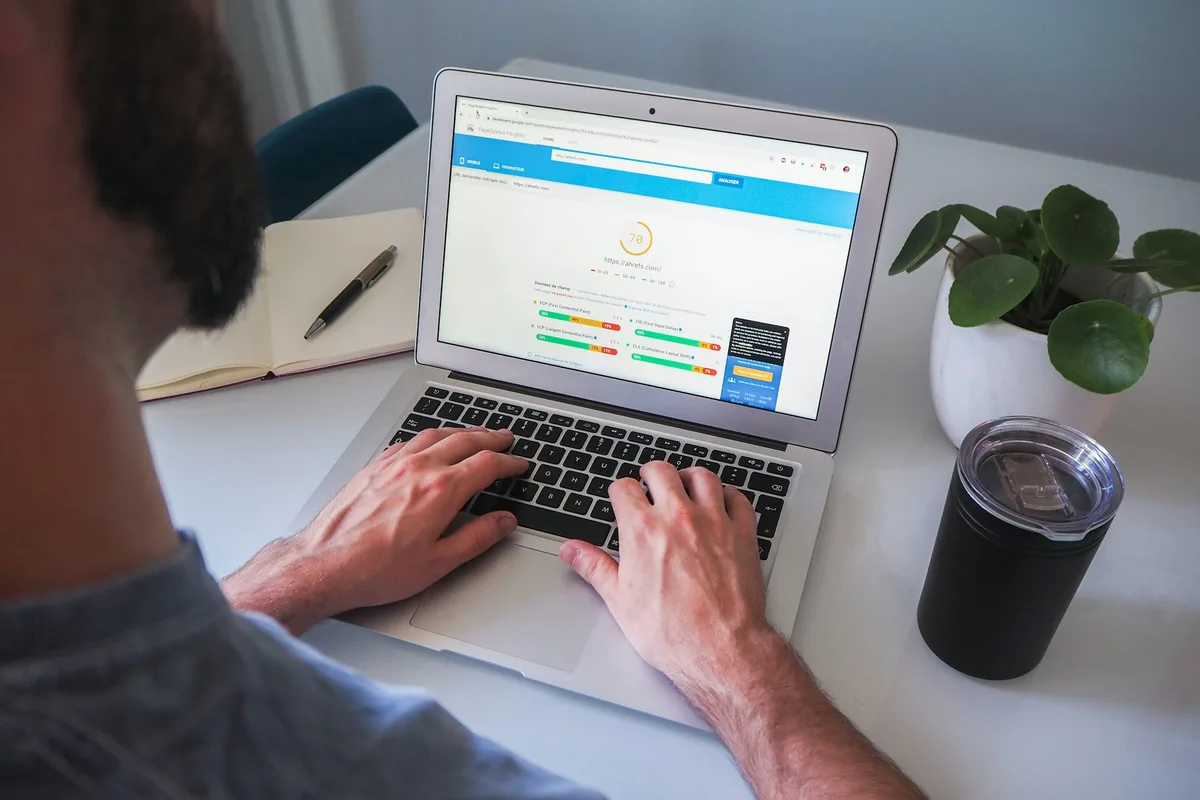
The usual culprits on small WordPress sites are oversized images, heavy sliders and too many plugins. Compress images with TinyPNG or ShortPixel before upload, and host any video on YouTube or Vimeo rather than uploading the file to WordPress.
Googlebot and other crawlers also prefer a quick server: a slow host can limit how much of your site gets crawled. The Core Web Vitals performance report in Search Console groups slow pages together, which is handy when you have more than a handful of pages to fix.
Can Google Actually Crawl and Index the Page?
Google can only rank a page it can crawl and index, so check that nothing on your site is blocking it. This sounds obvious, yet a ticked “Discourage search engines” box in WordPress settings still catches out new sites.
This is where on-page work meets technical SEO. Your robots file, noindex tags and canonical tags all decide whether a page is eligible for search results and for AI Overviews. Google indexes the mobile-first version of your page, so content hidden on mobile may be ignored.
Free tools make the check simple: the URL Inspection tool in Search Console, or Screaming Frog for crawling up to 500 URLs free. An Ahrefs or Semrush Site Audit goes deeper. Note that Elementor stores headers and footers as Elementor templates, which aren’t meant to be indexed. Check that each page’s header tags survive in the rendered HTML too.
How Do You Check Whether Your On-Page Changes Worked?
Check whether on-page changes worked by comparing clicks, impressions and average position for that page in Google Search Console four to eight weeks before and after the change. Rankings move slowly, so a week of data proves very little.
- Confirm the page is indexed in Search Console and has no stray noindex tag.
- Run the URL through PageSpeed Insights and note the Core Web Vitals result on mobile.
- Test any schema for rich results eligibility.
- Record the date of your change, then compare the same period afterwards.
Tools such as Semrush’s On Page SEO Checker can flag missed ideas, but keep WordPress, your theme and plugins on their latest versions before blaming the content.
| Core Web Vital | What it measures | Where to see it |
|---|---|---|
| Largest Contentful Paint | How long the main content takes to appear | PageSpeed Insights, Search Console |
| Interaction to Next Paint | How quickly the page responds after a tap or click | PageSpeed Insights, Search Console |
| Cumulative Layout Shift | How much the layout jumps while loading | PageSpeed Insights, Search Console |
If you’d rather have a second pair of eyes, our free SEO audit tool runs the basic checks in minutes.
What Is the Difference Between On-Page and Off-Page SEO?
On-page SEO is everything you change on your own pages, while off-page SEO is what happens elsewhere, such as links, mentions and reviews on other sites. Optimising webpages covers copy, headings, structured data, images and secure HTTPS pages. Off-page work builds trust from outside. From our experience, small commercial sites see faster gains from fixing on-page scannability and clarity first, because those fixes are immediate and free.
Which Tool Is Best for On-Page SEO?
The best on-page SEO tool for most small businesses is the free pairing of Google Search Console and an SEO plugin such as Rank Math or Yoast. Search Console shows what Google sees; the plugin flags missing titles, duplicate descriptions and length issues against roughly 60 characters for titles and 160 characters for descriptions. Paid suites add keyword research, such as Semrush’s Keyword Magic Tool. Add Google Analytics to see what visitors do, and check your robots.txt once. No on-page tool measures social media activity, so judge that separately.
Do I Need Yoast SEO, and Which SEO Plugin Is Best for WordPress?
You need an SEO plugin on a WordPress site, but it doesn’t have to be Yoast: Rank Math, Yoast and similar plugins all handle titles, descriptions, sitemaps and schema. The free version of either covers most small business needs. We use Rank Math on our client builds because it handles Article, LocalBusiness and Product schema without extra add-ons, and Yoast’s Elementor integration works in its free plugin too. The plugin is a helper; your copy drives conversions. Run only one SEO plugin at a time.
Do I Need Yoast SEO Premium?
Most small business sites don’t need Yoast SEO Premium, because the free plugin already handles titles, descriptions, sitemaps and the main schema types with simple fill in the blanks fields. Fill in the blanks settings cover structured data for most pages. Premium adds internal linking suggestions and tools for spotting orphan pages and strengthening cornerstone content, which suits sites built on a hub-and-spoke structure with dozens of posts. Its suggestions appear while you write, which makes choosing anchor text quicker, and its redirect manager helps when rewrites of old posts change their URLs. If you publish rarely, spend that budget on content instead.
Why Is Yoast SEO Not Working With Elementor?
Yoast SEO usually stops working with Elementor because one of the two plugins is out of date, another plugin is conflicting, or you’re editing a template rather than a page. Yoast’s integration needs recent versions of both plugins, and Elementor templates deliberately don’t show the Yoast panel. Yoast SEO Premium adds a front-end inspector and SEO workouts, and paying customers get Premium email support, but free users can still fix most issues. Yoast added support for Elementor’s new atomic editor in its July 2026 update. If a fixed page still won’t appear in Google, check your robots file for a Disallow rule and use the site: search operator to see what’s indexed.

Why Is Rank Math SEO Not Working?
Rank Math usually stops working because of a plugin conflict, a disabled module, caching, or a clash with a page builder update. Start with a conflict check: switch to a troubleshooting or diagnostic mode, deactivate other plugins one at a time, and see when Rank Math returns. Deactivating and reactivating Rank Math itself often clears a stuck Elementor editor panel. If a recent update broke something, check the debug log, wait for the bug fix, or do a temporary rollback to the previous version. If you’ve switched to Elementor’s atomic editor, check Rank Math’s changelog for support, or turn the atomic editor off under Elementor > Editor > Settings while you test. Once it’s running, review the robots.txt editor so you aren’t blocking AI crawlers like OAI-SearchBot or PerplexityBot, recheck image file names and captions for image search, remove intrusive interstitials and render-blocking JavaScript, and confirm FAQPage schema has the right properties. Google’s Structured Data Markup Helper works if you need to add schema by hand, and keep external links pointing to live sources. When a plugin conflict keeps coming back, it’s usually a sign the site needs proper maintenance. Our SEO plans run at £199, £399 or £699 a month on a rolling basis with no lock-in, and on-page work is included in each. Our guide to how much SEO costs explains what you get at each level, the full list is on our pricing page, or you can get a free quote.