

Last updated: November 2026 · Written by Nouman Sajjad, Founder, Anchor Web Agency
Choosing between a WordPress website vs Wix or Squarespace is really a choice about who does the work for the next five years: you, the platform or a developer. All three can publish a smart small business site. The useful question is which one still suits you once the business has grown, the subscription has gone up and you want to change something the platform won’t let you.
Nouman Sajjad has spent 10+ years building WordPress sites for small businesses, and Anchor Web Agency builds on WordPress, so you know where we stand. We’ve still tried to be fair: there are situations below where Wix or Squarespace is the sensible call, and we say so.

Is a WordPress Website or Wix Better for a UK Small Business?
For most UK small businesses that want customers to find them on Google and want to own their site outright, a WordPress website is the better long-term choice than Wix. Wix suits owners who want to build and edit a simple site themselves with hosting and support in one subscription, and Squarespace suits design-led businesses that want a polished template with very little upkeep.
WordPress is also by far the most widely used of the three. In November 2026, W3Techs measured WordPress on 38.5% of all websites, against 4.2% for Wix and 2.4% for Squarespace, with Shopify on 5.4%. Popularity doesn’t make WordPress right for everyone, but it does mean a deep pool of developers, plugins and hosting companies if you ever need help.
The trade-off is responsibility. On Wix and Squarespace, the platform looks after hosting, security and software updates. On WordPress, someone has to do that work: you, your developer or a maintenance plan. Keep that in mind as you read the comparisons below.
What Is the Real Difference Between WordPress, Wix and Squarespace?
The real difference is that WordPress is free, open-source software you run on hosting you choose, while Wix and Squarespace are hosted website builders where the software, hosting and support all come from one company on a subscription.
That one difference explains most of the others. Because WordPress runs on your own hosting, you can add plugins, swap the theme, hire any developer and move the whole site elsewhere. Wix and Squarespace keep everything inside their own editor and add-on stores, which is simpler but means the platform sets the limits.
| WordPress | Wix | Squarespace | |
|---|---|---|---|
| What it is | Open-source content management system | Hosted drag-and-drop builder | Hosted template-based builder |
| Hosting | You choose and pay for it | Included in the plan | Included in the plan |
| Editing | Block editor or a page builder such as Elementor | Freeform drag and drop | Structured sections inside a template |
| Adding features | Plugins, e.g. WooCommerce for a shop | Wix App Market | Squarespace Extensions and built-in tools |
| Updates and security | You, your developer or a maintenance plan | Handled by Wix | Handled by Squarespace |
| Moving platform later | Take the files and database to any host | Usually a rebuild | Usually a rebuild |
For a five-page brochure site, Wix and Squarespace often are the quicker start. The gap opens later, when you want a booking system that works your way, a set of service pages for different towns, or a feature the add-on store doesn’t offer.
How Much Does Wix Cost Compared with Squarespace and WordPress?
Wix costs nothing on its free plan, but a business site needs a paid Premium plan to connect your own domain and remove Wix branding; Squarespace has no free plan at all, and WordPress software is free but needs paid hosting and a domain.
We checked both builders’ pricing pages on 20 November 2026. Wix lists Free, Light, Core, Business and Business Elite plans, with “Accept payments” starting on Core. Squarespace offers a 14-day free trial, then Basic, Core and Advanced plans, and its Basic plan carries a 2% online store transaction fee that Core and Advanced don’t. Both pages showed prices in US dollars in our browser, and Wix states that prices and currency vary by location, so check the UK figure on the day you sign up.
WordPress costs work differently. The software is free, and you pay separately for hosting, a domain, any premium theme or plugins and, unless you build it yourself, a developer. Hosting quality matters more than the headline price, because cheap shared hosting is a common reason a WordPress site feels slow.
| What you pay for | WordPress | Wix | Squarespace |
|---|---|---|---|
| Software | Free | Included in the plan | Included in the plan |
| Hosting | Paid separately | Included | Included |
| Your own domain | Paid separately | Free for the first year on paid plans | Free for the first year on annual plans |
| Taking card payments | WooCommerce plus payment provider fees | Core plan and above | All paid plans; 2% store fee on Basic |
| Free option | None (hosting is always paid) | Free plan on a Wix address | 14-day trial only |
Our own website packages are one-off prices rather than a subscription: £499 for a 3–5 page Starter website, £799 for a 7–14 page Professional website with free first-year hosting, and £999 for a custom design. You can compare every package on our pricing page, and ongoing website care starts at £29 a month.
Do WordPress Websites Rank Better on Google Than Wix or Squarespace?
WordPress websites don’t rank better just because they run on WordPress, since Google ranks pages on content, relevance and technical health, but WordPress gives you more control over the technical side of SEO than Wix or Squarespace do.
All three let you edit page titles, meta descriptions, image alt text and URLs. The difference shows when you need more: detailed schema markup, custom redirects, a large set of service or location pages, or fine control over how each page loads. On WordPress, plugins such as Rank Math or Yoast handle much of that, and a developer can change anything else in the code.
Page structure usually matters more than the platform name. For Pitstop 66, a Manchester car storage company, we built separate landing pages for supercar, classic and long-term storage, each set up for local SEO across Manchester and the North West, and the first lead arrived within three weeks of going live.

A builder site can still rank for a handful of local searches. Builders tend to feel tighter when a business wants to grow into many pages and compete in a busier search market, which is where WordPress’s extra control earns its keep.
Why Is My WordPress Website So Slow or Not Loading?
A WordPress website is usually slow because of cheap or overloaded hosting, large uncompressed images, too many plugins or a heavy theme, and it usually stops loading because of a plugin or theme conflict, an expired domain or hosting account, or a server fault.
This is the honest downside of WordPress. Wix and Squarespace manage the servers for you, so you rarely face these problems directly, although builder pages crammed with images and apps can be slow too. If your WordPress site is struggling, work through these checks first:
- Hosting: check your host’s status page and your account, because a suspended or expired plan takes the whole site offline.
- Images: resize photos before uploading and save them as WebP, since one full-size phone photo on the homepage slows every visit.
- Plugins: deactivate recently added or updated plugins one at a time to find a conflict, then remove any you no longer use.
- Caching: a caching plugin or server-level cache cuts the work each page load needs.
- Updates: keep WordPress, the theme and plugins up to date, as outdated code causes both errors and security holes.
That ongoing care is what a maintenance plan covers. If you don’t want to do it yourself, include that monthly cost when you compare WordPress with a builder subscription, so you’re comparing like with like.
Who Owns Your Website If You Leave the Platform?
With WordPress you own the files and database and can move them to any host, while a Wix or Squarespace site stays on that company’s servers and normally has to be rebuilt if you leave, although you keep your domain name if it’s registered to you.
Ownership feels abstract until the day it isn’t: a price rise, a feature the platform won’t add, or a developer you’d like to hire who doesn’t work with that builder. On WordPress, those situations mean a hosting move or a new plugin. On a builder, they can mean starting again.
Whatever you choose, register the domain in your own name and keep the login details yourself. That single step keeps your options open on any platform. Shopify works like Wix and Squarespace here, as a hosted platform; if selling products is the main job of your site, our comparison of WooCommerce vs Shopify goes deeper.
WordPress, a Website Builder or a Custom Website: Which Fits Your Business?
A website builder fits a simple site you’ll manage yourself on a small budget, WordPress fits a business that wants Google to bring in enquiries and room to grow, and a fully custom website fits unusual needs such as bespoke integrations, although a custom-designed WordPress site covers most small businesses.
“WordPress website vs custom website” is a slightly false choice. Many custom websites are built on WordPress: the design and features are bespoke, while WordPress handles the content editing underneath. A fully hand-coded site makes sense mainly when a business needs something WordPress can’t do well.
| If this sounds like you | Our honest pick |
|---|---|
| You need a simple site this month and want to build it yourself | Wix |
| Looks matter most: a photographer, salon, café or creative studio with a modest site | Squarespace |
| You want Google to bring you enquiries and plan to add pages over time | WordPress |
| You publish regularly, for example as an author, coach or consultant | WordPress |
| You sell products and the shop is the business | Shopify or WooCommerce |
| You need bookings, a CRM or other systems connected in a specific way | WordPress with a custom build |
So, is WordPress good for a small business? For businesses that rely on search and plan to grow, yes, as long as it’s set up properly and kept updated. If you’re still deciding whether your business needs a website at all, start there; and for the wider DIY-versus-professional question, our guide to website builders vs web designers covers that choice.
Which Platform Does Anchor Web Agency Use, and Why?
Anchor Web Agency builds most business websites on WordPress, and online shops on WooCommerce or Shopify, because that mix gives small businesses ownership, flexibility and full SEO control without a large monthly platform bill.
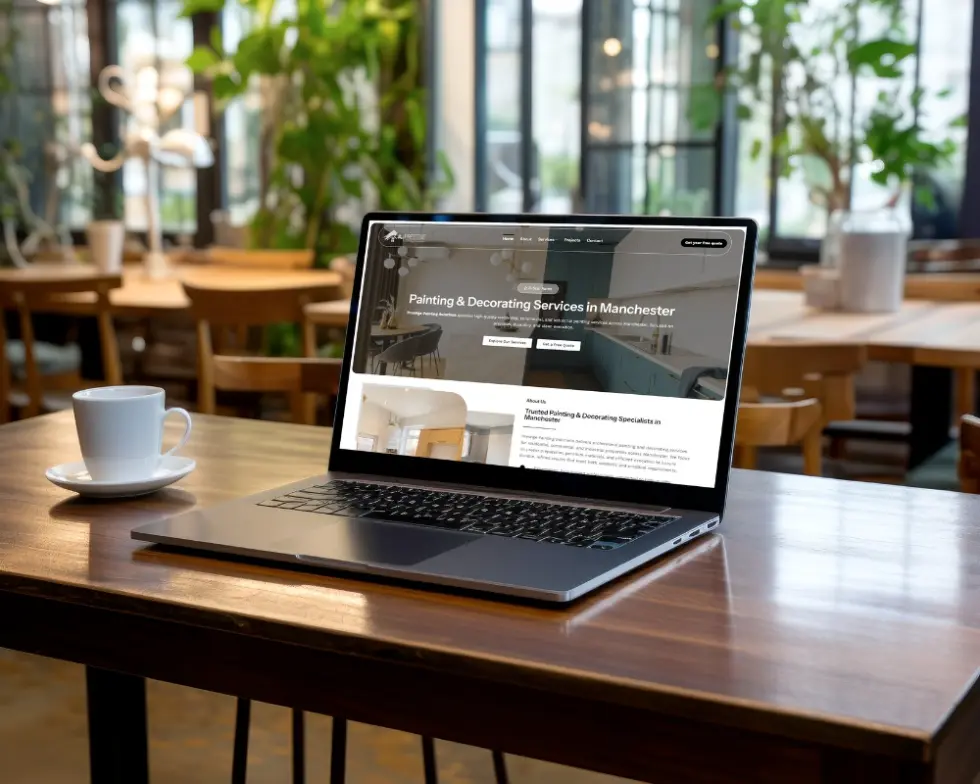
Results come from what’s built on the platform. Prestige Painting Solutions, a Manchester decorator, got a new website with separate interior, exterior, commercial and residential pages, plus Google Ads, and received 81 leads at £23.97 per lead between 12 February and 1 May 2026. Spark Care needed a multi-product site covering fall detection, IoT devices and professional services, the kind of structure a flexible content management system handles comfortably.
Our web design services are one-off packages from £499, and Nouman builds every site himself, so you deal with one person from the first call to launch. If you’re in the West Midlands, see our page on web design Birmingham; we also work with businesses across the UK.
Frequently Asked Questions
Is a Wix website worth it?
A Wix website is worth it if you want to build and run a simple site yourself, with hosting, security and support bundled into one subscription. It is less worth it if you expect to grow into dozens of pages, need detailed SEO control or may want to change platform later, because leaving Wix normally means rebuilding the site from scratch.
Do I need WordPress to build a website?
No, you don’t need WordPress to build a website, because Wix, Squarespace, Shopify and Webflow all let you publish one without it. WordPress becomes worth choosing when you want to own the site’s files, pick your own hosting and add features through plugins as the business grows.
Do web designers use Squarespace?
Yes, some web designers use Squarespace, especially for creative and portfolio sites where polished templates matter most. Many agencies, Anchor Web Agency included, prefer WordPress for business websites because it allows deeper SEO set-up, custom features and moving to a different host.
How much does Webflow cost?
Webflow has a free Starter plan on a webflow.io address, then paid site plans (Basic and Premium) that add a custom domain, more pages and more bandwidth. When we checked its pricing page on 20 November 2026, prices were listed in US dollars, per site, with taxes added at checkout, so check the live page for the current figure.
Do I need Shopify if I already have a website?
You don’t need Shopify if your existing website can already take payments, for example a WordPress site running WooCommerce. Equally, you don’t need a separate website to sell on Shopify, because a Shopify store is a complete hosted website and Shopify’s own builder can create the pages for you. For Shamm G, a UK South Asian clothing brand, we built a Shopify store because the shop is the business.
Why is my Shopify website down or showing as not secure?
A Shopify store that is down or shows a “not secure” warning usually has a domain problem: an expired domain, DNS records pointing to the wrong place, or an SSL certificate that hasn’t finished setting up after a domain change. Shopify includes a free SSL certificate with its plans, so check the domain settings in your Shopify admin and Shopify’s status page before changing anything else.
Why is my Squarespace or GoDaddy website builder not working?
When a Squarespace or GoDaddy website builder stops working, the cause is often the browser rather than the platform, so clear the cache, turn off browser extensions and try another browser before anything else. If the live site itself is offline, check that your plan and domain are still active, because an expired subscription or domain takes a builder site down.
How do I edit my Shopify website?
You edit a Shopify website by logging in to your Shopify admin, opening Online Store, then Themes, and choosing Customize to change pages and sections in the theme editor. Products, prices and stock are edited separately under Products. If you’re not sure what your Shopify website is called, it’s your myshopify.com address unless you’ve connected your own domain.
Want a Straight Answer on the Right Platform?
Tell us what your business does and what the website needs to achieve, and we’ll recommend a platform, even if that means a builder you can run yourself. We reply on WhatsApp within minutes and by email within 24 hours, Monday to Saturday, 08:00–20:00.