

Last updated: November 2026
If you’ve searched how to make a website for free, you’ve probably found two camps shouting past each other: builders promising a site in minutes, and agencies warning you off DIY. Both have a point, and neither knows your business.
This guide gives you the honest version. It’s written by Nouman Sajjad, founder of Anchor Web Agency, who has spent 10+ years building WordPress sites for small businesses and still builds every one himself. We do sell web design, so we’ve tried to be fair: there are cases below where we’d tell you to use a builder and save your money.
Can You Make a Website for Free, or Should You Hire a Web Designer?
Yes, you can make a website for free with a builder such as Wix, Google Sites or Canva: you sign up, pick a template, add your text and photos and publish it on the builder’s free web address. A free site suits testing an idea or a simple online presence; if your website needs to win enquiries from Google, take payments or grow with the business, a web designer (or a paid plan plus a lot of your own time) is usually the better route.
The word “free” carries a lot of weight in that answer. A free plan gets a page online, but it normally sits on the builder’s subdomain, carries the builder’s branding, and leaves out the features a trading business tends to need first.
So the real choice isn’t free versus paid. It’s whose time and skill goes into the site, and whether the finished result can do the job you need it to do. The sections below work through that choice in the order most owners face it.
What Is the Difference Between a Website Builder and a Web Designer?
A website builder is an online platform where you create a site yourself from pre-built templates with drag-and-drop editing, while a web designer is a person or agency who plans, designs and builds the site around your business for you. Builders hand you the tools; a designer hands you the finished website.
Most builders bundle hosting, a contact form, galleries and basic shop tools into one account. You choose a layout and fill it in. A designer starts from the other end: who your customers are, what they need to see, and what you want them to do next, such as call, book or ask for a quote.
| Website builder (DIY) | Web designer | |
|---|---|---|
| Upfront cost | Free plan, or a monthly subscription | One-off project fee |
| Your time | You do the planning, writing and building | A few hours of input and feedback |
| Design | A template shared with other sites | Built around your services and customers |
| SEO set-up | Basic settings you fill in yourself | Page structure, titles and schema done for you |
| When something breaks | Help centre or support ticket | A person who knows your site |
| Moving later | Usually a rebuild | Depends on the platform used |
If you want the longer version of what a designer actually does day to day, our guide to web design vs web development breaks the roles down.
How Do You Make a Website for Free, Step by Step?
You make a website for free by choosing a builder with a genuine free plan, publishing on its free subdomain, and filling a template with your own words and photos. Forbes Advisor notes that very few builders offer truly free plans, so check what “free” means before you invest an evening.
- Pick a platform with a free plan. Wix, Google Sites and Canva all let you publish without paying; Squarespace offers a 14-day trial rather than a free plan.
- Accept the free address. Free plans publish on the builder’s own address, such as a Wix subdomain or a my.canva.site link, rather than yourbusiness.co.uk.
- Choose a template you can change. Check you can edit colours, menus, headers and footers before you add content.
- Add the core pages. A homepage, an About page, your services or products, a Contact page with a contact form, and legal notices such as a privacy policy.
- Use your own photos where you can. Free stock libraries such as Unsplash, Pexels and Pixabay have licence rules, and the same images appear on thousands of sites.
- Test, then publish. Take a break, then proofread every page, click every link and check the site on your phone before you press Publish.
That’s how to make a website for small business free of charge. It also answers how to make a website for my business on a tight budget: start with the pages customers ask about most, not every page you can think of.

What Do Free Website Plans Leave Out?
Free website plans usually leave out your own domain name, the removal of the builder’s branding, and the ability to take payments, which are the three things most businesses want first. Wix, for example, says on its plans page that a Premium plan is what lets you connect your own domain and remove Wix branding.
| Free option | Web address | Main limits on the free version |
|---|---|---|
| Wix Free plan | Wix subdomain | Wix branding shown; no online payments |
| Google Sites | Google address, or connect your own domain | Very limited add-ons and design control |
| Canva Websites | my.canva.site address | Built for one-page sites; few SEO settings |
| WordPress.com free | WordPress.com subdomain | No plugins on the free plan |
We haven’t quoted builder plan prices here on purpose. Plans change often, and at the time of writing (November 2026) Wix and Squarespace both state that prices vary by location. Check each provider’s own UK pricing page on the day you sign up, and look at the renewal price as well as the first-year offer.
A free domain is rarely free for long, either. Forbes Advisor found free domains usually come with a paid plan and cover the first year only. Our guide to domain names and hosting explains what to expect at renewal.
Can You Make an Ecommerce Website for Free?
You can’t usually make a working ecommerce website for free, because taking card payments is almost always a paid feature. On Wix, “Accept payments” only appears from the Core plan upwards, and Squarespace charges a 2% online store transaction fee on its Basic plan.
What you can do for free is build a catalogue: product pages with photos and prices, and a “message us to order” button. That’s a sensible way to test demand before you pay for checkout, shipping rules and stock control.
Once orders are real, the platform decision matters more than the template. Our comparison of WooCommerce vs Shopify covers the two most common routes, and our breakdown of how much an ecommerce website costs shows realistic budgets. Our own Starter Shop package is £499 for up to 10 products, with Stripe and PayPal checkout.
What Does a DIY Website Really Cost Once You Count Your Time?
A DIY website really costs your plan fees plus your own hours, and the hours are usually the bigger number. Aposlo Studios, a UK web design firm, estimates 20–40 hours to get a DIY site looking respectable, then a few hours each month after that.
Put your own hourly rate against those hours. A plumber who loses three Saturdays to fiddling with a template has given up three days of paid work, and still owns the job of keeping the site running. Most guides on how to make a website for business skip this part.
That job is bigger than editing text. Someone has to handle software updates, backups, spam protection and the security certificate that keeps the padlock in the browser bar. Builders take care of much of this inside the subscription, which is a genuine point in their favour.
The other hidden cost arrives later. Aposlo points out that builder sites can’t be exported as working code, so moving to another platform usually means a rebuild. Our guide on how much a website costs helps you compare the totals over two or three years rather than month one.
When Is a Website Builder the Right Choice for Your Business?
A website builder is the right choice when your website only needs to confirm you exist, you have more time than budget, and Google isn’t where your customers find you. In those cases we’d tell you to use a builder and keep your money.
- Testing a new idea: a one-page site tells you whether anyone is interested before you invest.
- A short-term project: an event, a pop-up or a seasonal offer doesn’t need a bespoke build.
- Work that comes from referrals: if customers already have your number, a simple online card is enough.
- You enjoy building it: some owners like doing it themselves, and that’s a fair reason.
On “what is the best small business website builder?”, the honest answer is the one whose editor you find easiest and whose paid plan covers what you need next, such as your own domain or payments. Try the free plans of two or three builders for an evening each before you commit to one.
When Is It Worth Paying a Web Designer Instead?
Paying a web designer is worth it when your website has to bring in work, because ranking on Google, turning visitors into calls and staying fast on mobile take planning that a template doesn’t do for you. That planning is what you’re paying for.
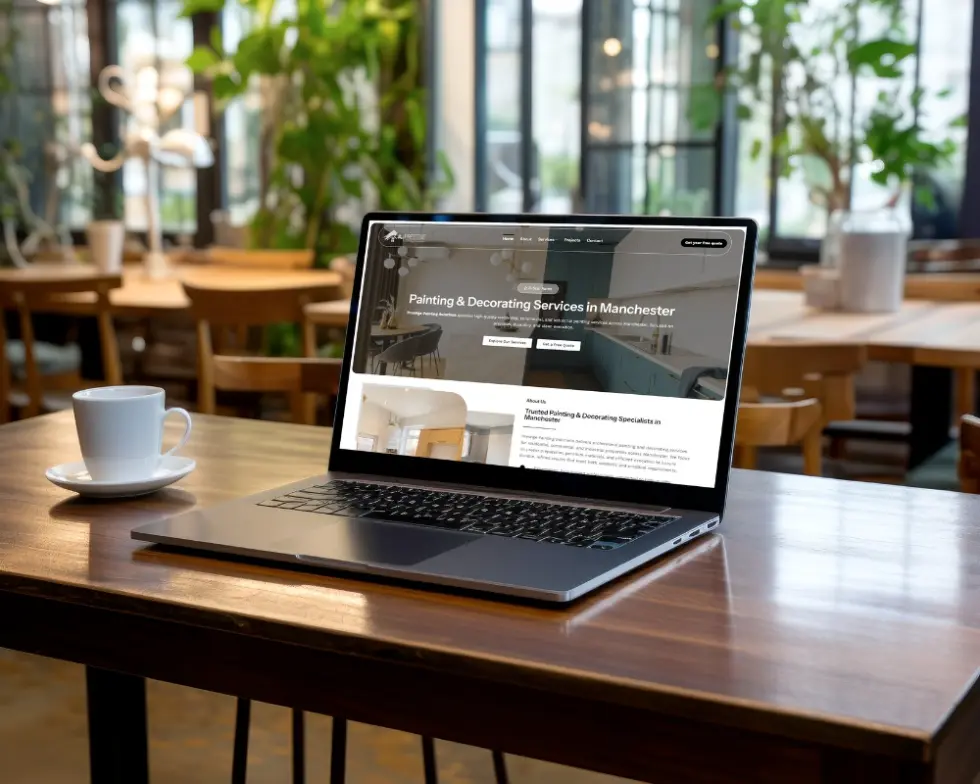
Real examples show what that looks like. For Pitstop 66, a Manchester car storage company, we built separate service landing pages for supercar, classic and long-term storage with local SEO for Manchester and the North West, and the first lead came within three weeks of going live. Prestige Painting Solutions, a Manchester decorator, got a new website plus Google Ads and received 81 leads at £23.97 per lead between 12 February and 1 May 2026.
Complexity is the other signal. Spark Care needed a multi-product site covering fall detection, IoT devices and professional services, which is beyond what a template comfortably handles.
Our web design services start at £499 for a 3–5 page website, £799 for 7–14 pages with a year’s hosting included, and £999 for a fully custom design. Full details are on our pricing page. If you’re local, see our page on web design in Birmingham.
How Long Does It Take to Build a Website?
Building a typical small-business website with us takes 2–4 weeks, while ecommerce and more complex sites take longer. A DIY site can be live in an afternoon, but a good one usually takes several weekends once you count writing, photos and testing.
The slowest part of either route is rarely the build itself. It’s the words: what you do, where you work, what it costs and why someone should choose you. Having that ready, even as rough notes, cuts the timeline more than any tool.

On our projects, Nouman handles the design, build and SEO set-up personally, so you deal with one person from first call to launch. Every package includes post-launch support: 30 days on the Starter website and 90 days on the Professional and Custom packages.
Frequently Asked Questions
Can I make a website on Canva?
Yes, you can make a website on Canva and publish it free on a my.canva.site address, or connect your own domain. Canva Websites suits simple one-page sites such as a portfolio or event page. It offers few SEO settings, so it’s a weaker choice if you want to be found on Google.
Why is my Square website builder not working?
A Square Online site that won’t load can usually be traced with the checklist in Square’s UK help centre: confirm the site is published, clear your cache and cookies, and try another browser, device or network. Then check your domain billing and connection. New or changed domain settings can take 24–48 hours to work.
Should I make a website if I already have social media?
Yes, most businesses should make a website even with active social media, because you own your website and control what it says. Social platforms change their rules and reach, and a website is how you get found when people search Google for your business name or your service.
Can I start with a builder and switch to a web designer later?
Yes, you can start with a builder and move to a web designer later, but expect a rebuild rather than a transfer, since builder sites can’t usually be exported as working code. Keep your domain registered in your own name from day one so you can point it to the new site.
Not Sure Which Route Is Right for You?
Tell us what your business does and what you need the website to achieve. We’ll give you an honest answer, including “use a builder” if that’s the right call. We reply on WhatsApp within minutes and by email within 24 hours, Monday to Saturday, 08:00–20:00.