

Last updated: November 2026
How much does Google Ads cost? It’s usually the first thing a business owner asks us, often right after a competitor’s ad has started appearing above their own listing. The honest answer begins with “it depends”, which is no help when you’re trying to set a budget, so this guide puts real numbers on it.
It’s written by Nouman Sajjad, founder of Anchor Web Agency, who has 10+ years of web design and digital marketing experience and is responsible for every Google Ads account we run. Every figure below comes from Google’s own help pages, a named and dated benchmark report, our live price list or a client account we manage.
How Much Does Google Ads Cost in the UK?
Google Ads has no fixed price in the UK: you choose your own daily budget and pay each time someone clicks your ad, with most UK clicks costing between £0.50 and £5.00 according to Candid Digital’s March 2026 guide. For a small local business, we recommend starting with £300 to £500 a month in ad spend, plus a management fee if an agency runs the account for you.
That answer hides two separate bills. The first is your ad spend, which goes straight to Google and rises or falls with the number of clicks you buy. The second is the cost of running the account well: either an agency fee or your own hours spent on keyword research, ad copy, tracking and weekly checks.
If you’ve been searching how much Google AdWords costs, it’s the same product. Google AdWords was renamed Google Ads, and the pay-per-click model behind it hasn’t changed, so the question of how much it costs to advertise on Google is really a question about PPC cost: being shown in search results is free, and the meter only runs when someone taps through to your website.
How Does Google Ads Pricing Work?
Google Ads pricing works through an auction that runs every time someone searches, and you pay per click rather than for your ad being shown. Google decides in milliseconds which ads appear and in what order, so the price of a click is set live, search by search, rather than from a rate card.
Your position comes from Ad Rank, which Google calculates from your maximum bid, the context of the search and your Quality Score. Quality Score rates three things: your expected click-through rate, how relevant your ad is to the search, and your landing page experience. A well-matched ad can beat a bigger rival who simply bids more.
The part most owners don’t expect is that you rarely pay your full bid. Google Ads Help explains that your actual cost per click is only what’s needed to beat the ad ranked below yours, so it’s often less than your maximum. With no competitor below you, you pay a reserve price instead.
Position still matters. Google sets higher thresholds for ads shown above the search results than below them, so a top-of-page click usually costs more than one further down, even in a quiet auction.
What Is the Average Google Ads Cost per Click in the UK?
The average Google Ads cost per click in the UK sits between roughly £0.50 and £5.00 for most industries, based on Candid Digital’s UK guide published on 30 March 2026, with competitive sectors such as finance and insurance paying more. We’ve only included benchmarks that name their source and date.
| Benchmark | Figure | Source and date |
|---|---|---|
| UK cost per click, most industries | £0.50–£5.00 | Candid Digital, 30 March 2026 |
| UK cost per 1,000 impressions (CPM) | £0.50–£10.00 | Candid Digital, 30 March 2026 |
| US average search cost per click, all industries | $5.42 | WordStream, updated 19 August 2026 |
| US attorneys and legal services | $9.87 per click | WordStream, updated 19 August 2026 |
| US home and home improvement | $8.33 per click | WordStream, updated 19 August 2026 |
| US dentists and dental services | $8.00 per click | WordStream, updated 19 August 2026 |
| Prestige Painting Solutions, Manchester | about £1.70 per click | Our calculation from the client’s Google Ads data, 12 February–1 May 2026 |
Treat the WordStream figures as a guide to which sectors cost more, not as UK prices. They’re US data in dollars, but the pattern is the same here: trades, legal and health services sit near the top because one customer can be worth hundreds or thousands of pounds.
Display ads are a different market. Google says Display campaigns typically cost less per click than Search, which suits keeping your name in front of past visitors rather than catching someone ready to book today.
The figure that matters most is the one for your own keywords. Keyword Planner inside your Google Ads account shows estimated bid ranges for the exact services and areas you plan to target.
What Pushes Your Cost per Click Up or Down?
Your cost per click goes up with competition, purchase intent, location and seasonal demand, and comes down when your Quality Score improves and your keywords get more specific. Some of these you can’t change, but most of them you can work around.
| Factor | Why it changes the price | What you can do |
|---|---|---|
| Industry competition | More advertisers bidding on the same searches pushes the auction up | Target narrower services, not your whole sector |
| Keyword intent | “Buy men’s running shoes size 10” costs more than “how to choose the best running shoes” (Google’s example) | Pay for ready-to-buy searches, skip research-only ones |
| Location | Busy cities and nationwide targeting attract more bidders | Target the towns and postcodes you actually serve |
| Seasonality | Demand peaks raise competition, like winter coats in colder months | Plan budget around your busy and quiet months |
| Bidding strategy | Maximise Clicks tends to lower cost per click; Maximise Conversions may raise it to win more enquiries | Pick the strategy that matches your goal |
| Quality Score | Relevant ads and landing pages can lower the price you pay | Match each ad to a page about that exact service |
The bidding row catches people out. A cheaper click isn’t automatically a better result: Maximise Conversions often pays more per click because it chases the searches most likely to turn into a call or form.
Longer, more specific searches also help. “Emergency boiler repair Solihull” will usually face fewer bidders than “plumber”, and the person typing it is closer to picking up the phone.
How Much Should a Small Business Spend on Google Ads per Month?
A small UK business can usually test Google Ads properly on £300 to £500 a month in ad spend, which is about £10 to £16 a day, then scale up once the account proves it brings in enquiries at a price you’re happy with. That’s the recommended spend on our Starter Ads package, and it’s enough for one focused campaign in a local area.
You can work out your own figure in five steps:
- Value a customer. Note what an average job or order is worth to you after costs.
- Set a target cost per lead. Decide the most you’d pay for one enquiry, knowing not every enquiry turns into a sale.
- Check click prices. Use Keyword Planner to estimate what your main keywords cost per click.
- Estimate your enquiry rate. As a starting point, assume around 1 in 14 clicks becomes an enquiry, the rate one of our client accounts achieved, then replace it with your own data.
- Turn it into a budget. Multiply the clicks you need by your cost per click, then divide the monthly total by 30.4 to get your average daily budget.
That’s essentially what any Google Ads cost calculator does. Google’s own campaign budget tool on its UK Google Ads site works along the same lines.
For comparison, WordStream (updated 19 August 2026) puts the typical starting budget for small and medium businesses at $1,000 to $2,500 a month, with most new campaigns costing around $20 to $50 a day. Those are US figures. For a local UK campaign our own recommended spend starts lower, at £300 to £500, and moves to £500 to £1,500 once you’re advertising on both Google and Meta.
How Do Google Ads Daily Budgets and Charges Work?
Google Ads charges against an average daily budget, and on busy days Google can spend up to twice that amount, but across a month you won’t be charged more than 30.4 times your daily budget. The 30.4 figure is simply the average number of days in a month.
Google Ads Help gives a simple example: a £304 monthly budget becomes a £10 average daily budget. On a quiet Tuesday your campaign might spend £4; on a busy Monday it could spend up to £20. Over the month, the monthly charging limit keeps the total at £304.
This is why owners sometimes panic in week one. Seeing double the daily figure leave the account looks like overspending, but Google is shifting budget towards the days it predicts more clicks and conversions, and it evens out.
Each campaign gets its own daily budget unless you set up a shared one across several campaigns. Google’s budget report shows projected spend for the month, which is worth checking before you change anything mid-month.
What Does Google Ads Management Cost on Top of Ad Spend?
Google Ads management is a separate monthly fee on top of your ad spend; at Anchor Web Agency it costs £149, £299 or £599 a month, on a rolling monthly basis with no long-term lock-in. Your ad spend is still paid directly to Google, so you can always see exactly where it went.
| Package | Management fee | Recommended ad spend | What’s included |
|---|---|---|---|
| Starter Ads | £149 a month | £300–£500 a month | 1 platform (Google Ads or Meta Ads), up to 2 campaigns, basic conversion tracking |
| Growth Ads | £299 a month | £500–£1,500 a month | Google Ads and Meta Ads, up to 5 campaigns, 1 dedicated landing page, full conversion tracking |
| Authority Ads | £599 a month | £1,500+ a month | Google, Meta, Display and retargeting, up to 3 landing pages, Google Local Services Ads setup |
You’ll find the full list of inclusions on our pricing page. If you’re in the Midlands and want someone to run it day to day, our Google Ads agency Birmingham page explains how we set up, track and report on campaigns.
Running ads on Meta as well? Instagram and Facebook work on a different auction, which our guide to Facebook and Instagram ad costs covers.
What Did Google Ads Actually Cost a Real Small Business?
Prestige Painting Solutions, a Manchester painting and decorating firm, got 81 leads at £23.97 per lead from Google Ads between 12 February and 1 May 2026, and 33+ of those enquiries became paying customers. The campaign took 1,140 clicks from 11,700 impressions.
Working backwards from those published figures, the ad spend over the period was about £1,940, which comes to roughly £1.70 per click. Around 1 in 14 clicks turned into an enquiry. For a trade where a single job can run into hundreds of pounds, that maths works.
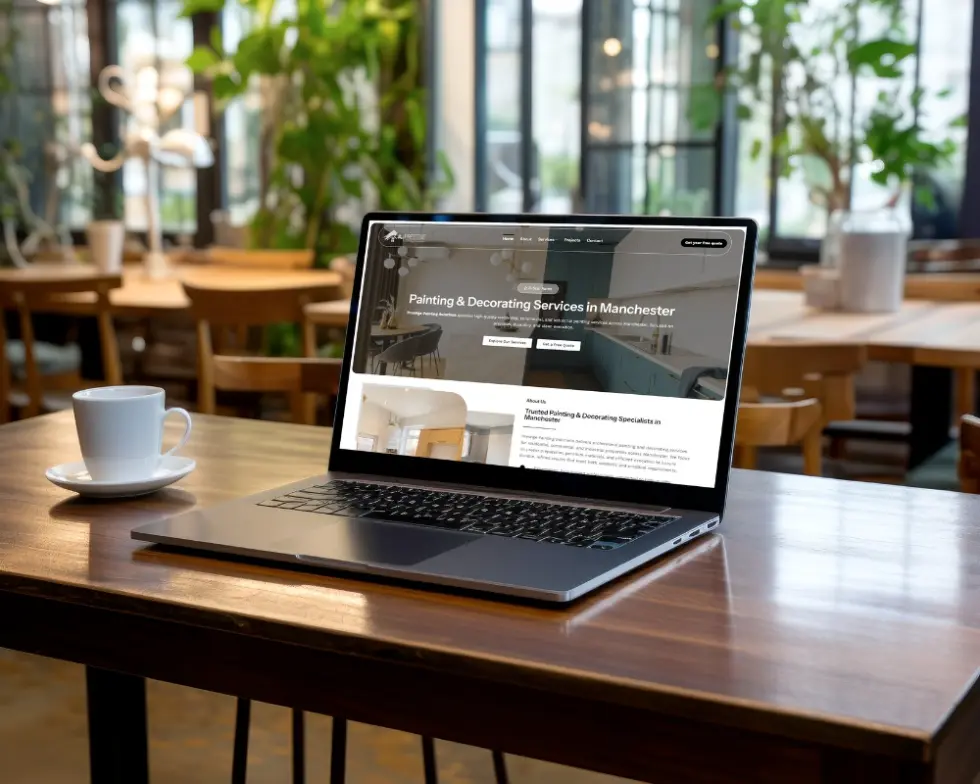
What we’d point to isn’t the bid. The ads sent people to a dedicated landing page rather than the homepage, and every form and phone call was tracked, so each week we could see which searches produced enquiries and adjust the campaign around them. The full story is in our Manchester painter case study.
One account is not a promise. Your click prices, competition and enquiry rate will be different, which is why we’d always start with a modest test budget and judge it on cost per lead, not cost per click.
How Can You Lower What You Pay per Click?
You lower what you pay per click mainly by improving your Quality Score and cutting wasted clicks, not by simply bidding less. A lower bid on a poor ad often just means fewer impressions, while a better-matched ad can win more auctions for the same money.
The changes that make the biggest difference are usually these:
- Negative keywords: block searches you never want to pay for, such as “jobs”, “course” or “DIY” for a trade business.
- Ad scheduling: pause or lower bids during hours when nobody can answer the phone.
- Tight ad groups: keep each group to one service so the ad text matches what people typed.
- Matching landing pages: send each ad to a page about that exact service, with your phone number visible on mobile.
- Sensible location targeting: cover the areas you serve and leave out the ones you don’t.
None of this is a one-off job. The accounts that hold their costs down are the ones reviewed every week, with search terms checked and ads tested against each other.
If you’re weighing paid clicks against building organic rankings instead, our comparison of SEO vs Google Ads sets out the costs and timescales side by side.
What is the difference between PPC and CPC?
PPC (pay per click) is the advertising model where you pay only when someone clicks your ad, while CPC (cost per click) is the price you pay for each of those clicks. Google Ads is a PPC platform, and your CPC is one of the numbers you track inside it. Not every Google format is charged per click: some Display and Video campaigns are charged per 1,000 impressions or per view, and Local Services Ads charge per lead.
How does PPC show opportunity cost?
PPC shows opportunity cost through impression share, the percentage of eligible impressions your ads actually received. Google Ads Help says impression share helps you see whether your ads might reach more people if you raised your bid or budget. If your campaign is losing impressions because of budget, that gap is customers who searched for you and saw a competitor instead.
Is there a Google Ads cost calculator for the UK?
Yes, Google offers a campaign budget tool, which it describes as a Google Ads cost calculator, on its UK Google Ads site, and Keyword Planner inside your Google Ads account estimates the cost per click of your chosen keywords. Neither can tell you your enquiry rate, so use them for a starting budget, then adjust once you have a month or two of real data.
Does Google Ads pay you, or do you pay Google?
You pay Google: Google Ads is the advertising side, where businesses pay to show ads in search results and across Google’s network. If you want to earn money by showing ads on your own website, that’s a separate Google product called AdSense, and it has nothing to do with your Google Ads budget.
Want a Google Ads Budget That Fits Your Business?
Tell us what you sell, where your customers are and what a new customer is worth to you, and we’ll suggest a realistic starting budget and the package that fits, with no obligation. We reply on WhatsApp within minutes and by email within 24 hours, Monday to Saturday, 08:00–20:00.